
- ☆1Computer NetworkSubnettingA Classless IP Address is: 105.38.89.230/20. Find out the answer of the following question.
(i) What is Net id and Host id?
(ii) What is network address and broadcast address?
(ii) What is network size?
(iv) If this classless IP address is used to classfull IP address what will be the class?
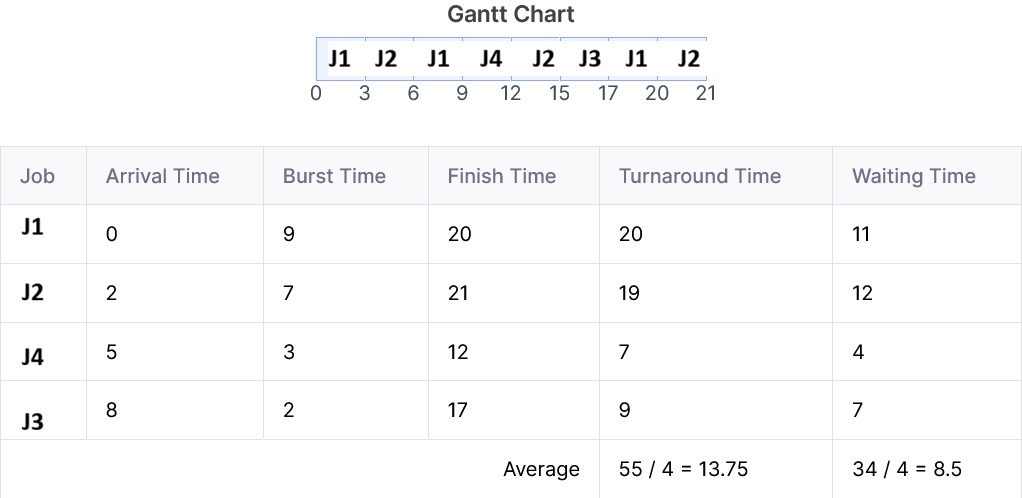
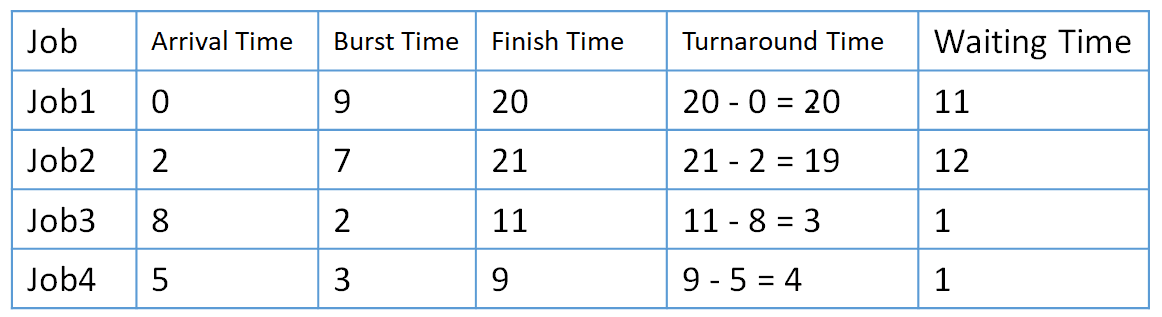
- ☆2Operating SystemProcess Scheduling AlgorithmOperating System Round Robin: (Quantum number =3), 4 job (job1, job2, job3, job4), Arrival time: 0,2,8,5; Burst time: 9, 7, 2, 3. What is the average waiting time?

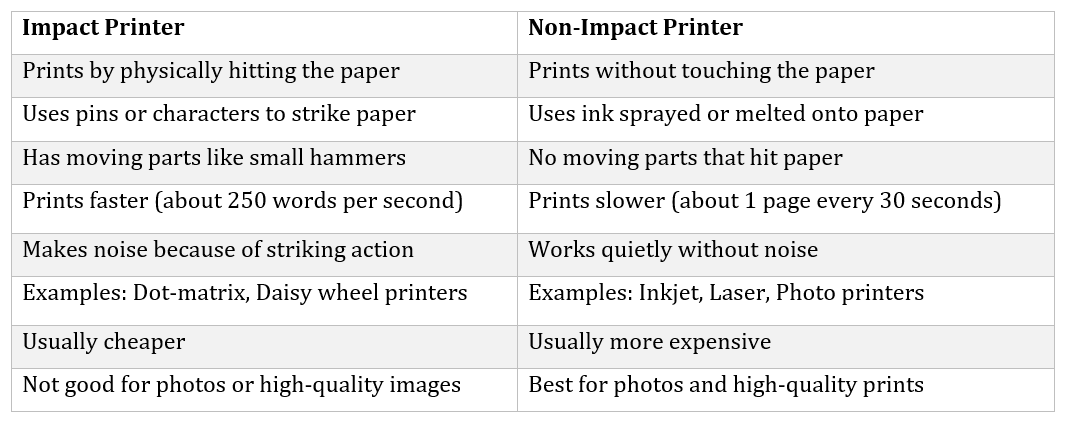
- ☆3MiscellaneousDifference between impact and nonimpact printer with example.

Examples
Impact: Dot matrix printer, Daisy wheel printer,
Non Impact: Inkjet printer, Laser printer - ☆4Microprocessor & Computer ArchitectureHits ratio 75%, RAM time 10 ns , SSD time 10 ms for each instruction. Calcualte access time.
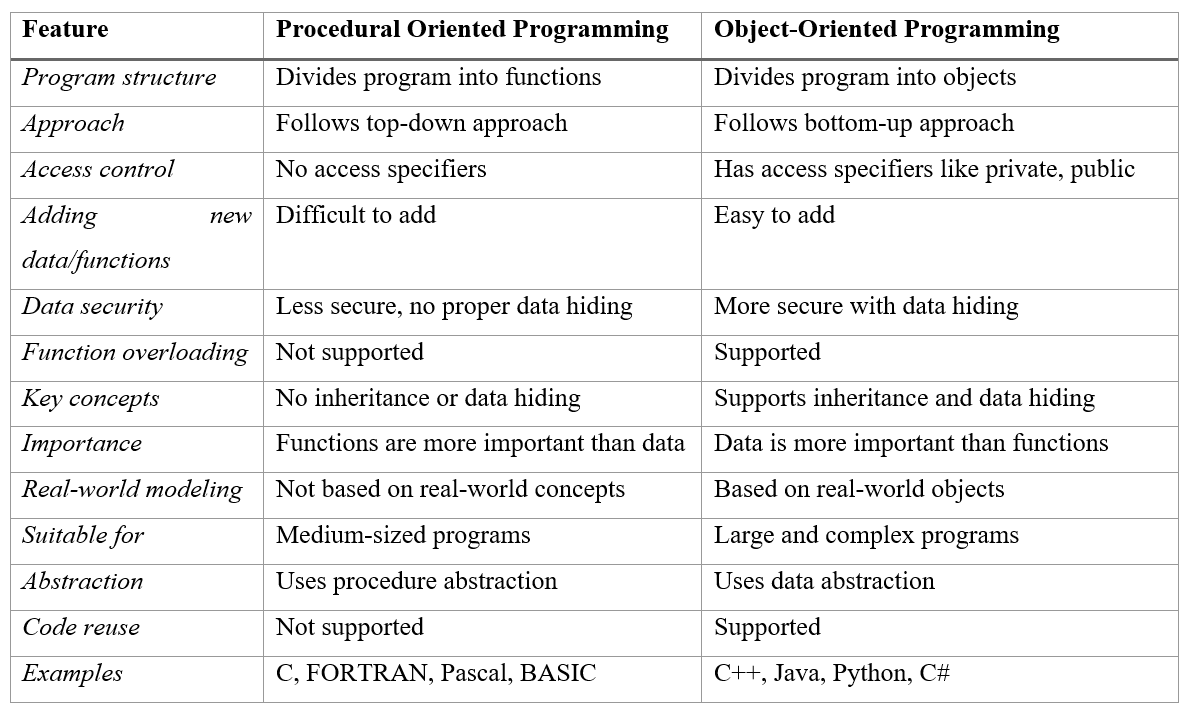
- ☆5Object Oriented ProgrammingBasicWhat is the difference between object oriented programming and procedural object programming.

- ☆6Object Oriented ProgrammingBasicExplain Method Overloading and Method Overriding.
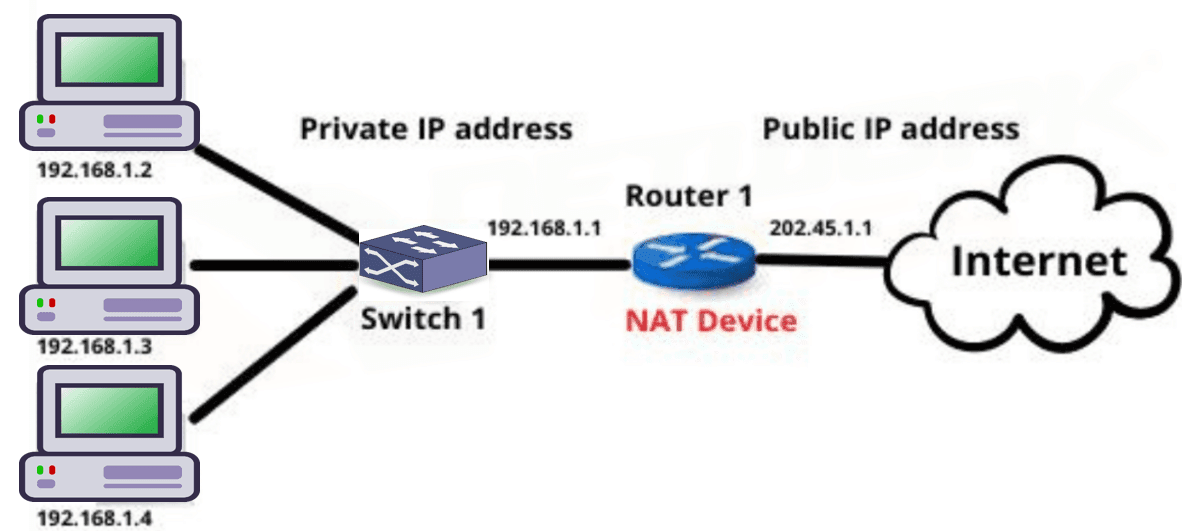
- ☆7Computer NetworkNAT ConceptWhat is NAT? Why we used it and how NAT translate?
NAT (Network Address Translation) is a networking technique used in routers to translate private IP addresses into a public IP address before sending data to the Internet.
It allows multiple devices in a private network to access the Internet using a single public IP address.
Why NAT is Used
- IP Address Conservation: NAT helps save public IPv4 addresses by allowing many devices to share one public IP.
- Security: Internal private IP addresses are hidden from external networks, which increases network security.
- Internet Access: It allows devices in a private network to communicate with external networks like the Internet.

How NAT Translation Works
- A device in a private network sends a request to the Internet using its private IP address.
- The router replaces the private IP address with its own public IP address.
- The request is sent to the destination server on the Internet.
- When the response comes back, the router converts the public IP address back to the original private IP address and sends the data to the correct device.
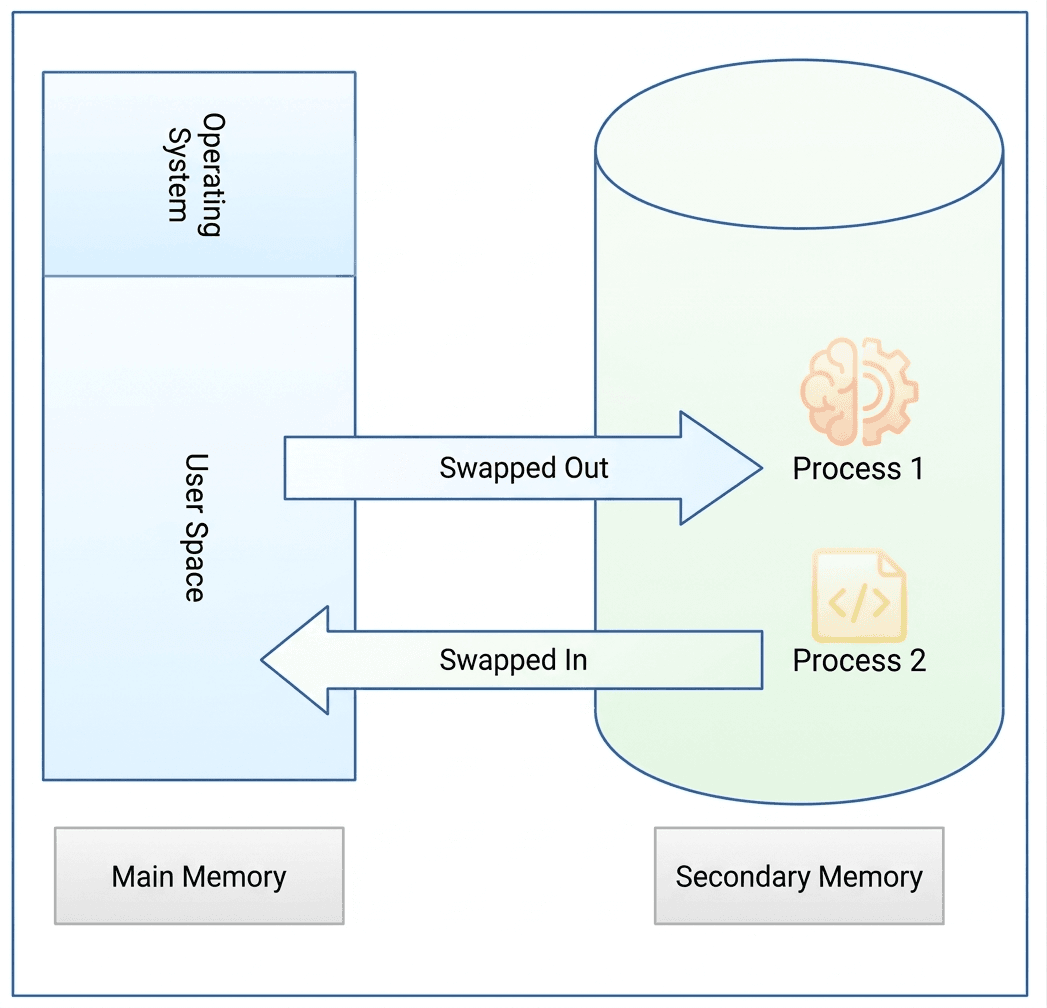
- ☆8Operating SystemVirtual MemoryWhat is Swapping from virtual memory in the primary memory.
Swapping in Operating System
Swapping is a memory management technique used by an operating system to efficiently manage the limited primary memory (RAM) and the larger but slower secondary memory such as a hard disk or SSD.
What is Swapping?
Swapping is the process of moving entire processes between primary memory (RAM) and secondary memory. When the RAM becomes full and the system needs memory to run active programs, the operating system moves some inactive or low-priority processes from RAM to secondary memory. This process is called swapping out.Later, when the swapped-out process is required again, the operating system brings the process back into RAM from secondary memory. This process is called swapping in.
Through this back-and-forth movement of processes between RAM and secondary memory, the operating system can run more processes than the physical memory can normally support.

- ☆9Computer SecurityCIAExplain Confidentiality and integrity. Can you have integrity without confidentiality? Justify your answer.
- ☆10Digital Logic DesignKmapMake a boolean expression using Karnaugh map: ∑m = (3,5,7,9,11,13,14,15)

- ☆11Data CommunicationTDMHow long does it take to send a file of 640,000 bits from host A to host B over a circuit-switched network?
- All links are 1.536 Mbps
- Each link uses TDM with 24 slots/sec
- 500msec to establish end to end circuit.
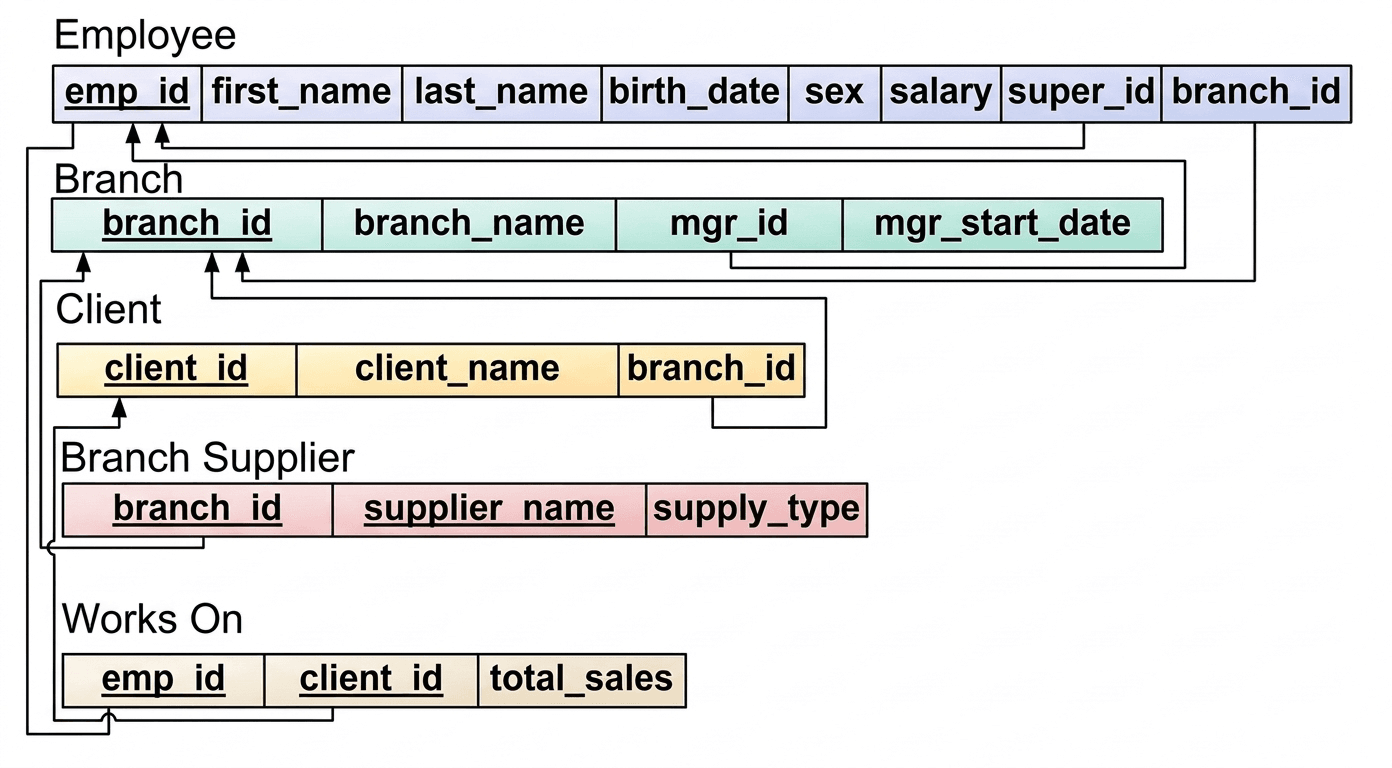
- ☆12Database Management SystemER DiagramFrom an E-R , Draw the schema diagram also indicate primary key with mapping constraints.
ER-Diagram:

Schema Diagram:

- ☆13Design Analysis of AlgorithmSorting AlgorithmWrite Merge short function.
- ☆14Operating SystemPagingConsider a machine with 64 MB physical memory and a 32 bit virtual address space. If the page size is 4 KB, what is the approximate size of the page table.
AME/ANE/AE • Year 2021
Comined Bank
💼Post Name: AE(IT)/ AHME/ SO
🏛Exam Taker: ANZA
📅Exam Date: 24-Dec-2021



1 thought on “Combined 3 Bank, AE (IT), 2021”
Hello